
Lenswire
Capture HTTP(S) traffic on your phone
Inspect, decrypt, and override network requests from your iOS and Android apps — local VPN MITM, no desktop required.
iOS · Android · on-device · MIT
What you can do
Domain overviews, decrypted payloads, filters, overrides, and HAR export — readable on the phone.
01Device VPN capture
iOS Packet Tunnel and Android VpnService route traffic through a local MITM — no desktop required.
02HTTPS decryption
Install the Lenswire CA and decrypt HTTP/1.1. HTTP/2-only and QUIC stay sealed tunnels — with a reason code in the UI.
03Domain & client filters
Group by host, filter by method, status, client (OkHttp and more), and search paths fast.
04Request & response detail
Headers, JSON tree/raw body preview, timing, Copy as cURL, and Share HAR.
05Mock & rewrite overrides
Mock responses without hitting the server, or rewrite request payloads before they leave the device.
06On-device privacy
No remote proxy servers — captures stay on your phone. Fail-open MITM with clear bypass reasons.
Get the app
Build a preview APK for Android, or clone the repo and run with Expo. Store builds are in progress.
MITM when we can, tunnel when we can’t
Every HTTPS connection takes one path: decrypt HTTP/1.1 and inspect, or a sealed byte tunnel (h2-only, QUIC, pinning, …). You still see the connection either way — payload only when MITM succeeds.
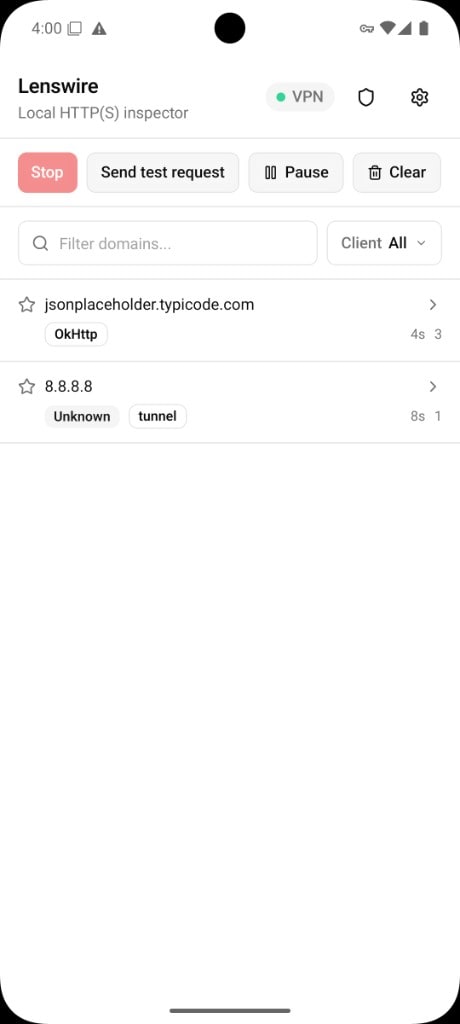
Capture
Traffic on the phone
Start the VPN, watch domains appear, and open paths with method and status — decrypted when your CA is trusted.
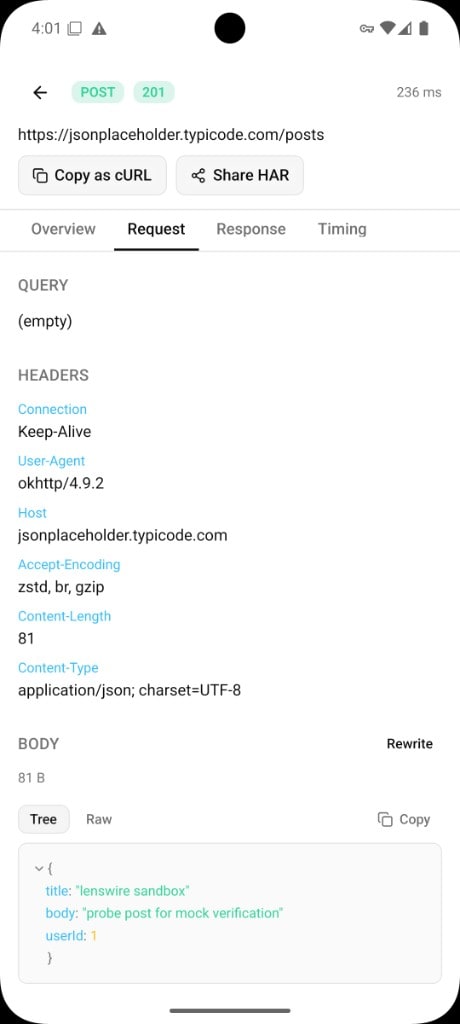
Inspect
Headers, bodies, timing
Open any call for Overview, Request, Response, and Timing. Tree or raw JSON, Copy as cURL, Share HAR.
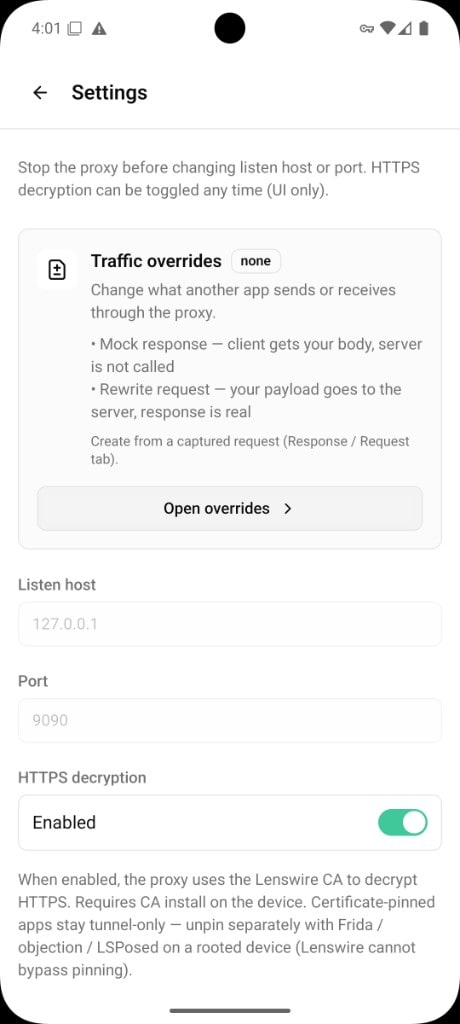
Override
Mocks and rewrites
Create an override from a captured call — mock the response, or rewrite what goes to the server.
Compared to desktop proxies
Charles, Proxyman, and mitmproxy are excellent on a Mac or PC — fuller protocol coverage and scripting. Lenswire is built for capture on the phone — VPN MITM, no laptop in the loop.
Charles, Proxyman, and mitmproxy (CLI or mitmweb) run on a computer — you point the phone at that proxy. Lenswire decrypts HTTP/1.1 after CA trust; HTTP/2-only and QUIC usually tunnel. No pinning bypass. Proxyman started on Mac and also has Windows.
In the app
Traffic list, domain drill-down, request/response detail, and overrides.
Lenswire
Local HTTP(S) inspector — capture, decrypt, and override on device.
Traffic
Domains and requests as they arrive — pause, clear, send a test call.
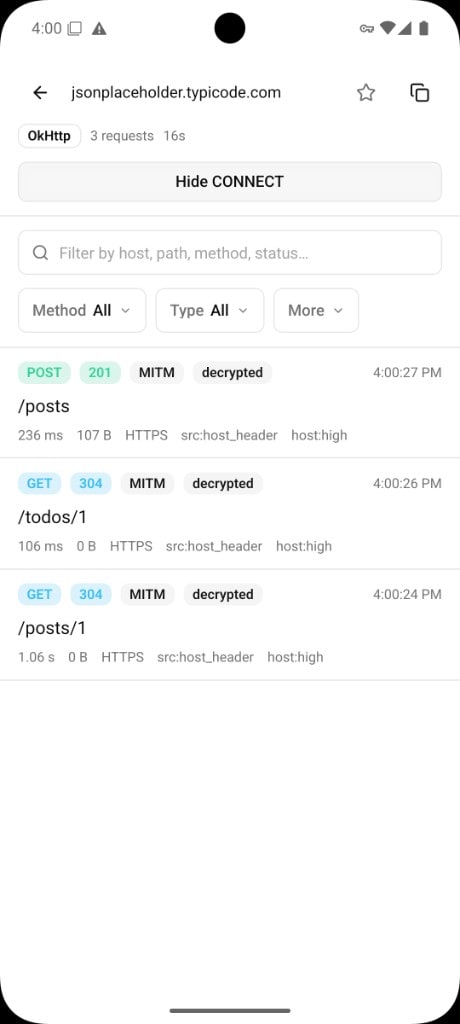
Domain
Open a host and browse its paths, methods, and statuses.
Request
Query, headers, and body for the outgoing call.
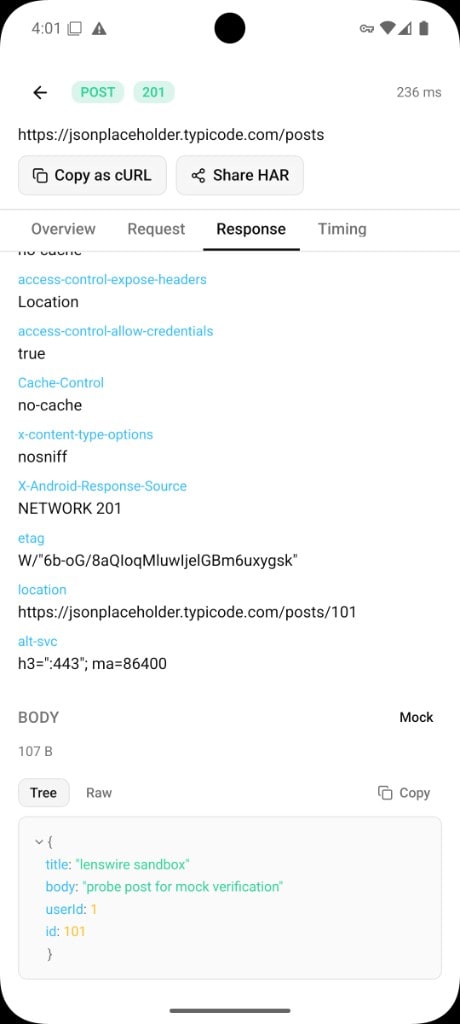
Response
Status, headers, and JSON preview for the reply.
Overrides
Mock responses or rewrite requests; toggle HTTPS decryption.
FAQ
Common questions.
Do I need a desktop proxy?
No. Lenswire runs a local MITM on the device via VPN (Packet Tunnel on iOS, VpnService on Android).
How does HTTPS decryption work?
Generate and install the Lenswire CA, enable HTTPS decryption. MITM covers HTTP/1.1 (often via ALPN downgrade). HTTP/2-only and QUIC tunnel. Certificate pinning is not bypassed — pinned apps still need separate unpinning on a rooted/jailbroken device.
Is traffic sent to remote servers?
No. Capture stays on your device. There is no Lenswire cloud proxy.
Free and open source
MIT licensed, no account, no cloud. Capture and decrypt stay on your device.